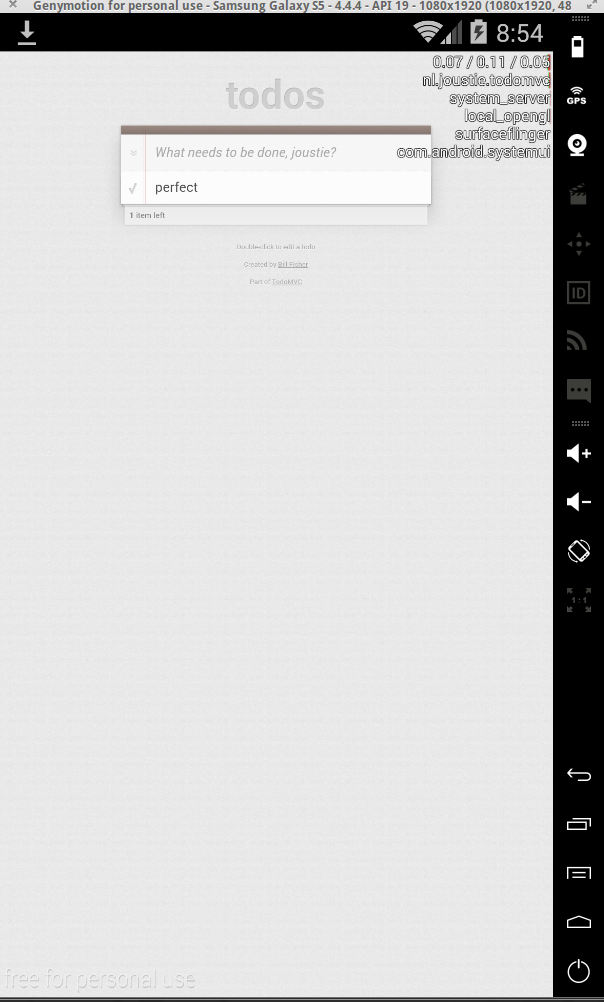
When I wrote this part of the series, I started it on a Mac. Along the way I had to write some of it on a different computer, running Linux. So I decided to change the contents a bit of this post. I will still get the App in a container, but I will show it to you for the Android platform as well as iOS. Part 2 will therefore be split in two (an Android part and and iOS part). The reason for this is that it is nearly impossible to run an iOS simulator on Linux, so here you go.
So I will start with Android. You will have to make sure your development setup for compiling Android applications is correct. You can find pointers here
We will start with the React app built in part 1. The result of git clone should be located in $HOME/tmp/blogpost.
Remember when we built this React flux example app, we created a bundled version of all javascript in a file called bundle.js. It’s located in the js/ folder of the project and was created by running the build step ’npm start’. I am mentioning this, because if you start with a fresh copy of the flux example, this build step needs to be performed for the app to work (the bundle.js is referenced in the index.html file of the project).
Let’s continue:
To embed the React app in a Cordova container, you need Cordova, a crossplatform app container.
Install it with:
npm install -g cordova
Then create the skeleton cordova application and copy the already created React app into it.
cd $HOME/tmp

$cd blogpost

$cordova create todomvc nl.joustie.todomvc "TodoMVC"

$cp -R flux/examples/flux-todomvc/* todomvc/www/

$cd todomvc/www
I don’t use the stock Android emulators that come with the SDK because they are just … too.. slow. Better to grab a copy of Genymotion that uses a Virtualbox virtualization and offers X86 Android (I have heard that the newest emulator that is included with Android Studio is also significantly faster, but I haven’t managed to test this out)
But.. this means you will have to compile for X86 as well, and not only for ARM cpu architecture. For this I used Crosswalk plugin to let the build phase also create X86 packages.
$cordova plugin add cordova-plugin-crosswalk-webview@1.2.0
Fetching plugin "cordova-plugin-crosswalk-webview@1.2.0" via npm
Installing "cordova-plugin-crosswalk-webview" for android
joost@joost-Studio-XPS-1645:~/tmp/todomvc$ cordova build android
Running command: /home/joost/tmp/todomvc/platforms/android/cordova/build
ANDROID_HOME=/home/joost//android-sdk-linux
JAVA_HOME=/usr/lib/jvm/java-7-oracle
Running: /home/joost/tmp/todomvc/platforms/android/gradlew cdvBuildDebug -b /home/joost/tmp/todomvc/platforms/android/build.gradle -Dorg.gradle.daemon=true
WARNING [Project: :] Current NDK support is deprecated. Alternative will be provided in the future.
WARNING [Project: :] Current NDK support is deprecated. Alternative will be provided in the future.
WARNING [Project: :] Current NDK support is deprecated. Alternative will be provided in the future.
WARNING [Project: :] Current NDK support is deprecated. Alternative will be provided in the future.
Download https://download.01.org/crosswalk/releases/crosswalk/android/maven2/org/xwalk/xwalk_core_library_beta/13.42.319.12/xwalk_core_library_beta-13.42.319.12.pom
Download https://download.01.org/crosswalk/releases/crosswalk/android/maven2/org/xwalk/xwalk_core_library_beta/13.42.319.12/xwalk_core_library_beta-13.42.319.12.aar
:preBuild
:compileArmv7DebugNdk
:preArmv7DebugBuild
:checkArmv7DebugManifest
:preX86DebugBuild
:CordovaLib:compileLint
:CordovaLib:copyDebugLint UP-TO-DATE
:CordovaLib:mergeDebugProguardFiles UP-TO-DATE
:CordovaLib:preBuild
:CordovaLib:preDebugBuild
:CordovaLib:checkDebugManifest
:CordovaLib:prepareDebugDependencies
:CordovaLib:compileDebugAidl UP-TO-DATE
:CordovaLib:compileDebugRenderscript UP-TO-DATE
:CordovaLib:generateDebugBuildConfig UP-TO-DATE
:CordovaLib:generateDebugAssets UP-TO-DATE
:CordovaLib:mergeDebugAssets UP-TO-DATE
:CordovaLib:generateDebugResValues UP-TO-DATE
:CordovaLib:generateDebugResources UP-TO-DATE
:CordovaLib:packageDebugResources UP-TO-DATE
:CordovaLib:processDebugManifest UP-TO-DATE
:CordovaLib:processDebugResources UP-TO-DATE
:CordovaLib:generateDebugSources UP-TO-DATE
:CordovaLib:compileDebugJava UP-TO-DATE
:CordovaLib:processDebugJavaRes UP-TO-DATE
:CordovaLib:packageDebugJar UP-TO-DATE
:CordovaLib:compileDebugNdk UP-TO-DATE
:CordovaLib:packageDebugJniLibs UP-TO-DATE
:CordovaLib:packageDebugLocalJar UP-TO-DATE
:CordovaLib:packageDebugRenderscript UP-TO-DATE
:CordovaLib:bundleDebug UP-TO-DATE
:prepareAndroidCordovaLibUnspecifiedDebugLibrary UP-TO-DATE
:preArmv7ReleaseBuild
:preX86ReleaseBuild
:CordovaLib:copyReleaseLint UP-TO-DATE
:CordovaLib:mergeReleaseProguardFiles
:CordovaLib:preReleaseBuild
:CordovaLib:checkReleaseManifest
:CordovaLib:prepareReleaseDependencies
:CordovaLib:compileReleaseAidl
:CordovaLib:compileReleaseRenderscript
:CordovaLib:generateReleaseBuildConfig
:CordovaLib:generateReleaseAssets UP-TO-DATE
:CordovaLib:mergeReleaseAssets
:CordovaLib:generateReleaseResValues
:CordovaLib:generateReleaseResources
:CordovaLib:packageReleaseResources
:CordovaLib:processReleaseManifest
:CordovaLib:processReleaseResources
:CordovaLib:generateReleaseSources
:CordovaLib:compileReleaseJava
Note: Some input files use or override a deprecated API.
Note: Recompile with -Xlint:deprecation for details.
:CordovaLib:processReleaseJavaRes UP-TO-DATE
:CordovaLib:packageReleaseJar
:CordovaLib:compileReleaseNdk
:CordovaLib:packageReleaseJniLibs UP-TO-DATE
:CordovaLib:packageReleaseLocalJar UP-TO-DATE
:CordovaLib:packageReleaseRenderscript UP-TO-DATE
:CordovaLib:bundleRelease
:prepareOrgXwalkXwalk_core_library_beta134231912Library
:prepareArmv7DebugDependencies
:compileArmv7DebugAidl
:compileArmv7DebugRenderscript
:generateArmv7DebugBuildConfig
:generateArmv7DebugAssets UP-TO-DATE
:mergeArmv7DebugAssets
:createXwalkCommandLineFileArmv7Debug
:generateArmv7DebugResValues
:generateArmv7DebugResources
:mergeArmv7DebugResources
:processArmv7DebugManifest
:processArmv7DebugResources
:generateArmv7DebugSources
:compileArmv7DebugJava
:preDexArmv7Debug
:dexArmv7Debug
:processArmv7DebugJavaRes UP-TO-DATE
:validateDebugSigning
:packageArmv7Debug
:zipalignArmv7Debug
:assembleArmv7Debug
:compileX86DebugNdk
:checkX86DebugManifest
:prepareX86DebugDependencies
:compileX86DebugAidl
:compileX86DebugRenderscript
:generateX86DebugBuildConfig
:generateX86DebugAssets UP-TO-DATE
:mergeX86DebugAssets
:createXwalkCommandLineFileX86Debug
:generateX86DebugResValues
:generateX86DebugResources
:mergeX86DebugResources
:processX86DebugManifest
:processX86DebugResources
:generateX86DebugSources
:compileX86DebugJava
:preDexX86Debug
:dexX86Debug
:processX86DebugJavaRes UP-TO-DATE
:packageX86Debug
:zipalignX86Debug
:assembleX86Debug
:assembleDebug
:cdvBuildDebug

BUILD SUCCESSFUL

Total time: 2 mins 17.031 secs
Then start Genymotion (I used the Galaxy S5 image).
When it has started, you can install the compiled package with:
$ adb install android-x86-debug.apk
1557 KB/s (38235054 bytes in 23.980s)
pkg: /data/local/tmp/android-x86-debug.apk
Success
If things went correct, you will find the todomvc application somewhere in you Apps.
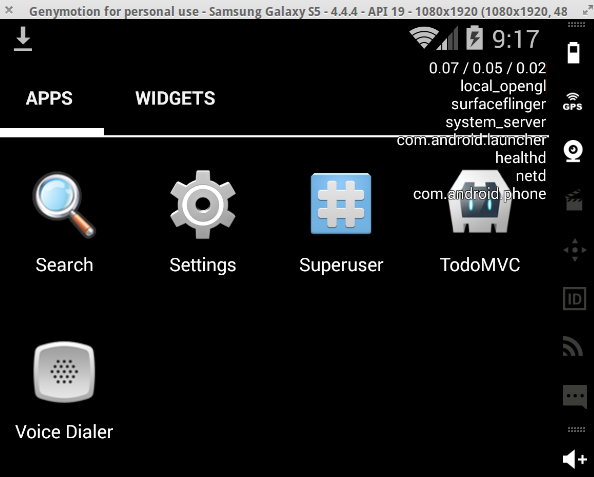 When you start it: